
How To Create A Geometry Dash Account
Creating a Geometry Dash account is simple and takes just a few minutes, you can save your progress, play with friends, and share your own levels.
In this article, we’ll guide you step by step on how to create a Geometry Dash account and set up your profile. Once you complete these steps, you’ll be able to enjoy all the exciting extras the game has to offer. Also You can download the Geometry Dash 2.2 the latest version here and enjoy the classic experience.
Step-by-step guide To Create A Geometry Dash Account
By following these steps, you can easily create a Geometry Dash account and start enjoying the game.
Step 1 : Open the Game
Launch Geometry Dash on your device.
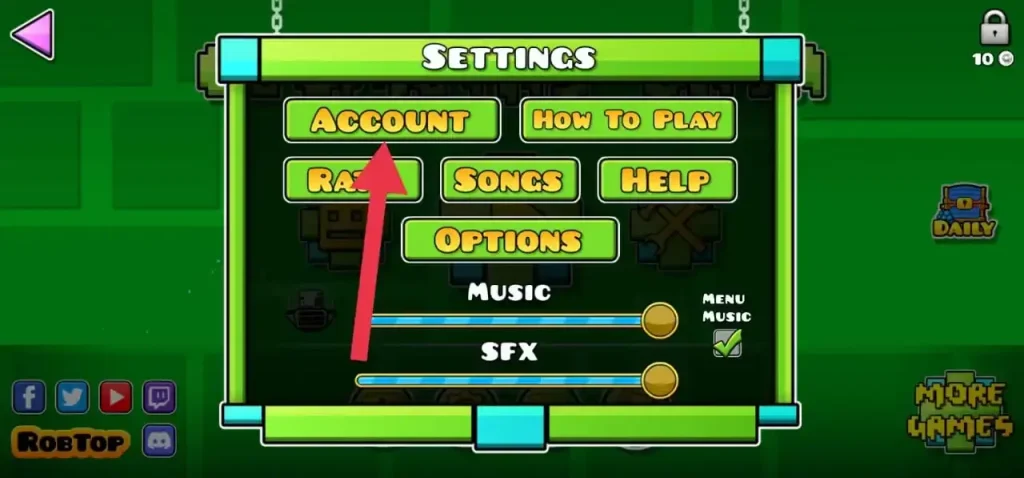
Step 2 : Go to Settings
Tap the (Gear Icon) in the main menu.
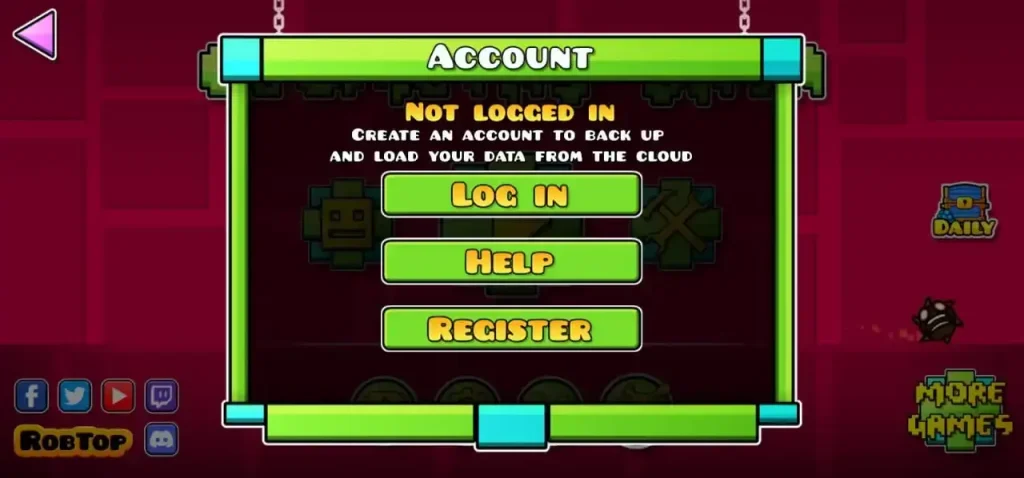
Step 3 : Select “Account”
Click on the Account option.
Step 4 : Tap “Register”
Choose Register to make a new account.
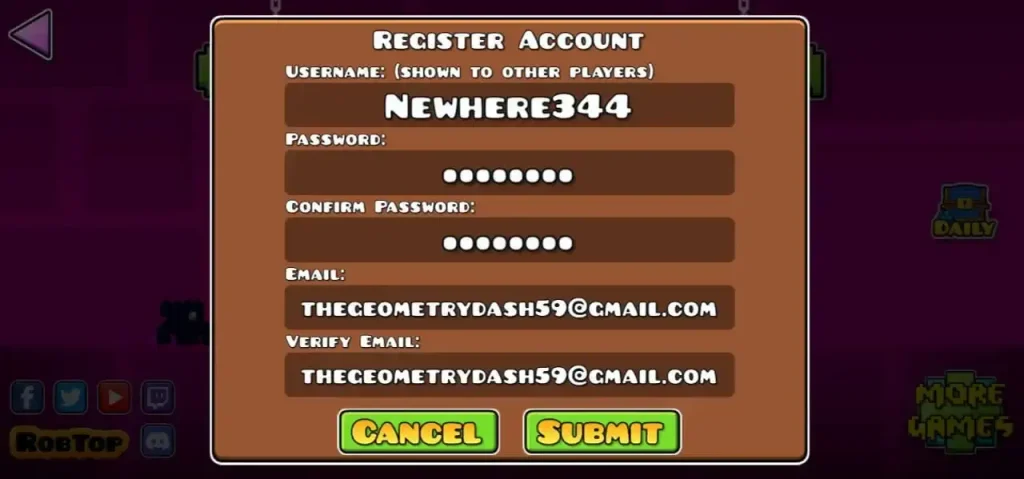
Step 5 : Enter Your Details
- Username (Must be unique, no spaces)
- Email (For password recovery)
- Password (Keep it strong & secure)
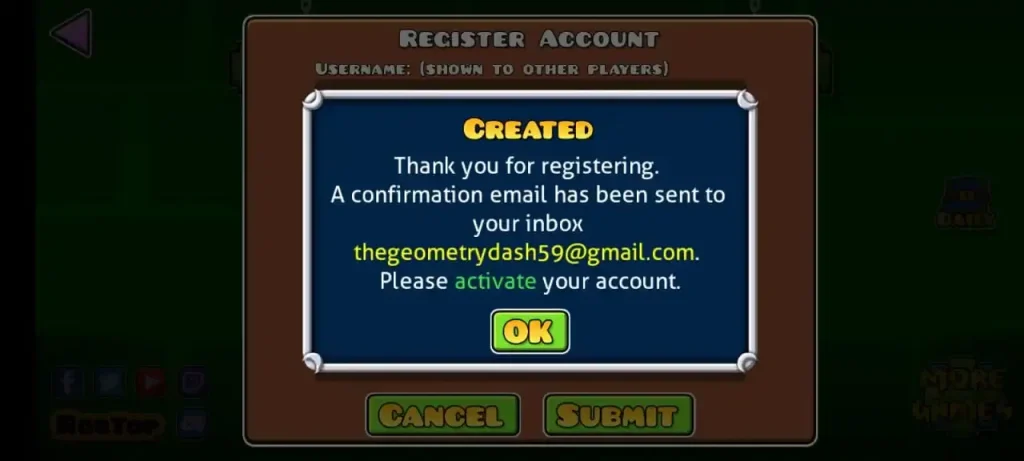
Step 6 : Verify Email (If Needed)
Check your email and click the verification link.
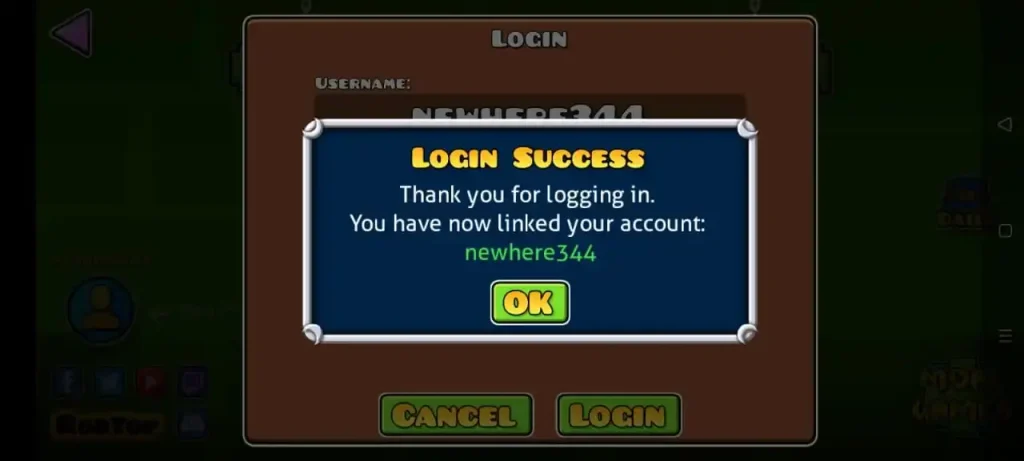
Step 7 : Log In
Use your new username & password to log in.
Also, you can watch a video to create an account on geometry dash apk. It will help you understand better.
Troubleshooting Geometry Dash Account Creation
If you’re having trouble creating your account, follow these steps:
Basic Troubleshooting
- Restart your device.
- Ensure your app is up to date.
- Check your email for the activation link.
- Make sure your internet connection is stable.
- Free up storage if needed.
Also If you want to change your username in Geometry Dash, read this article.
Email Issues
- Double-check the email format.
- Try using lowercase characters for your email.
- Check your spam folder for the confirmation email.
Website Issues
- If you get an SMTP error, try registering in-game instead of the website.
Other Errors
- “Something Went Wrong” or “Login Failed” could be server issues. Try again later or reset your password.
Still having issues? Please Contact Geometry Dash support for help.
Conclusion
In Conclusion, creating a Geometry Dash account is quick and easy, giving you access to all the game’s awesome features. Once you’re set up, you can save your progress, challenge friends, and even share your own levels.
If you encounter any issues along the way, simple troubleshooting steps can help you out. So, go ahead, create your account, and dive into the fun that Geometry Dash has to offer.
FAQs
How do I create a Geometry Dash account?
To create an account:
Open Geometry Dash and go to Settings.
Select Account > Register.
Enter a username, email, and password.
Verify your email (if required) and log in.
Can I play Geometry Dash without an account?
Yes, you can play without an account, but you won’t be able to save progress, upload levels, or interact with the online community.
Why isn’t my Geometry Dash account working?
Common issues include:
Incorrect login details (check username/password).
Unverified email (check spam folder).
Server issues (try again later).
Outdated game version (update the app).
What should I do if I don’t receive the verification email?
Check your spam/junk folder.
Ensure you entered the correct email address.
Try resending the verification link from the game.
Use a different email provider (Gmail works best).
Is a Geometry Dash account free?
Yes, creating an account is completely free. However, the full game requires a purchase on some platforms.
How do I recover a lost Geometry Dash account?
Use the “Forgot Password” option in the login menu.
Enter your registered email to reset the password.
If you forgot both email and password, contact Geometry Dash support for help.
Is an email required to make an account?
Yes, an email is needed for:
Account recovery (if you forget your password).
Verification (to prevent fake accounts).