How to add friends in geometry dash
геометри даш allows players to add friends, which doubles the fun of the game. When you add your friends, you can compare their scores, play their custom levels, and send them challenges.
Players can search for usernames or user IDs, or click on other players’ names in the game’s menus to send friend requests. This feature makes the game more interesting and engaging.
In this article, we will provide you with a step-by-step guide on how you can add friends in Geometry Dash and make the most of this feature.
Step-by-step guide to add friends in Geometry Dash
By following these steps, you can add friends on both iOS and PC. The process is the same on both platforms, allowing you to enjoy the game with your friends effortlessly. Here are some steps you can follow to add friends and improve your gameplay.
Step 1: Open the Game & Go to the Search Menu
- Launch Geometry Dash.
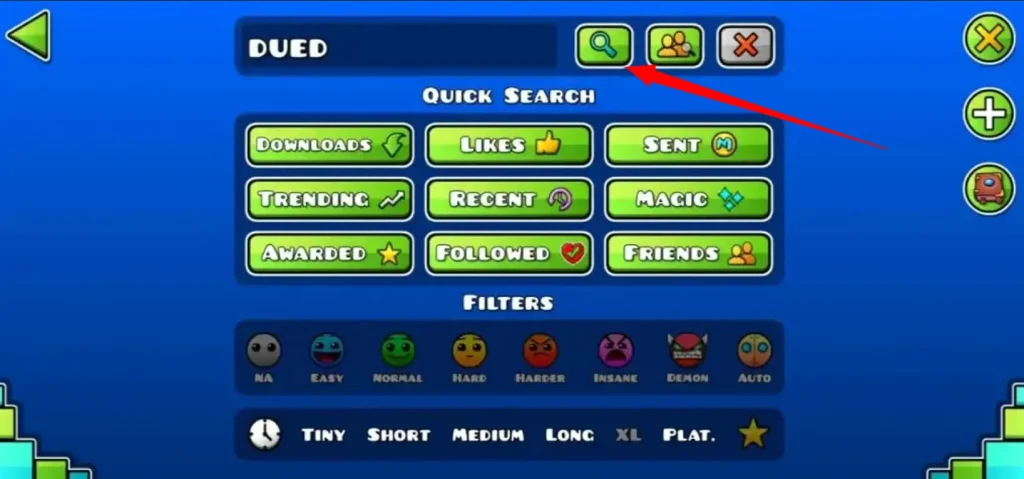
- Click on the Search button in the main menu.
Step 2: Find the Player
- Type their exact username or Player ID in the search bar.
- Select their profile from the results.
Step 3: Send a Friend Request
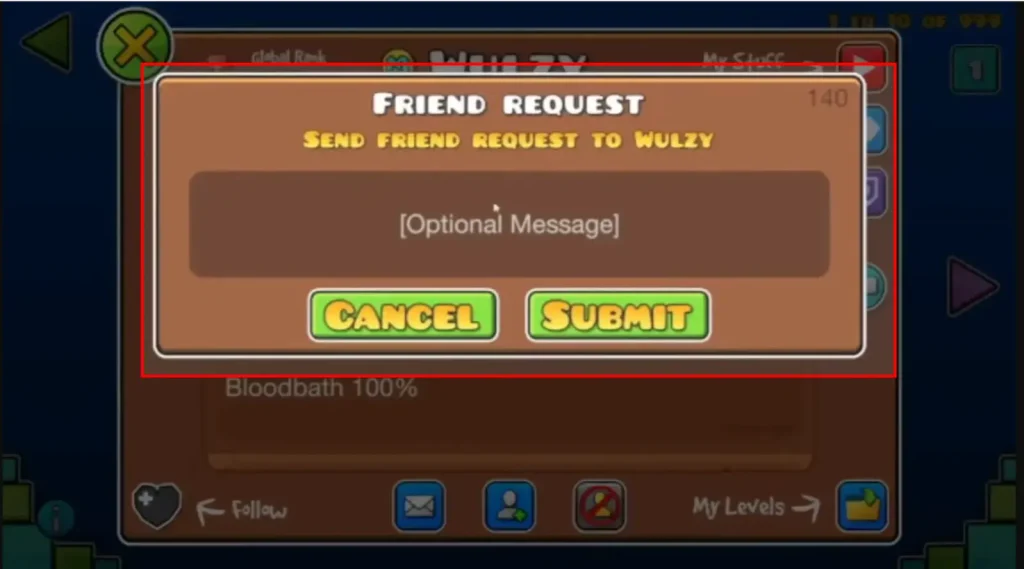
- On their profile, click the “Add Friend” button.
- Wait for them to accept your request.
Step 4: Manage Your Friends List
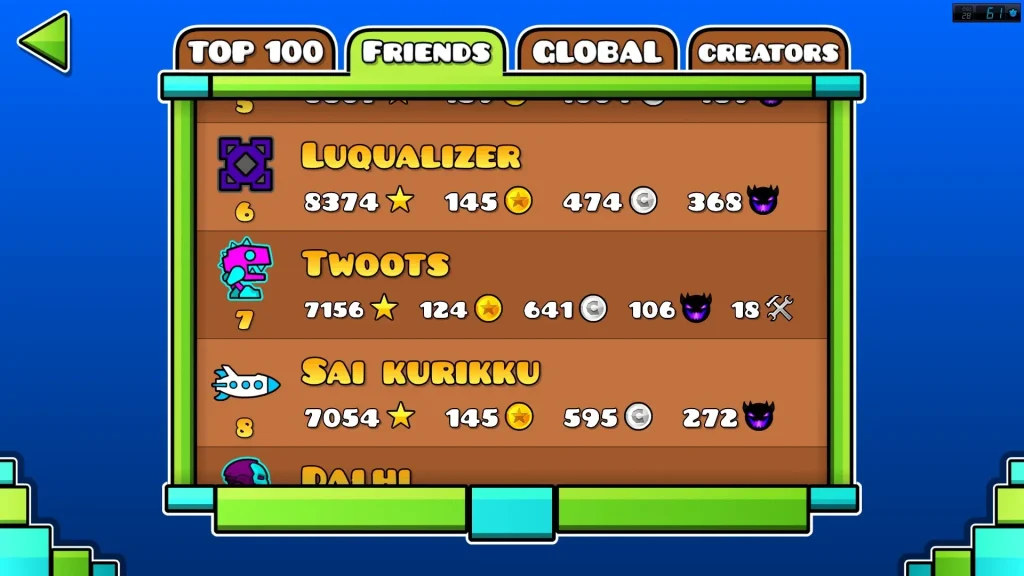
Go to your Profile > Friends tab to:
- See your friends
- Play their levels
- Check their scores
- Remove friends if needed
Step 5: Play Together (Using Mods – Optional)
- Since Geometry Dash doesn’t have official multiplayer, you can use mods like Globed.
- Install the mod and join the same server to play levels with friends.
Also, you can watch a video to add friends in Geometry Dash APK. It will help you understand better.
Troubleshooting Friend Issues in Geometry Dash
If you’re facing any issues while adding friends in Geometry Dash, these steps can help. These are common issues players face and how to fix them.
If your issue is still not resolved, you can contact me. I will help you solve your problem.
Benefits of Adding Friends in Geometry Dash
Заключение
In conclusion, adding friends in Geometry Dash is really easy. You just search for their username or ID, send a friend request, and wait for them to accept. Once they’re your friend, you can see their progress, play their levels, and check their scores.
Although the game doesn’t have official multiplayer, you can use mods like Globed to play together online. You can manage your friends list from your profile anytime. In the end, it makes the game more fun and interactive with friends.